
How to keep the waiting area from filling up in Yarn Jam
When space is tight, tap an unblocked yarn arrow that matches a color in an open target box. Yarn that cannot go into a matching box uses a waiting slot, even if its exit from the board is clear.
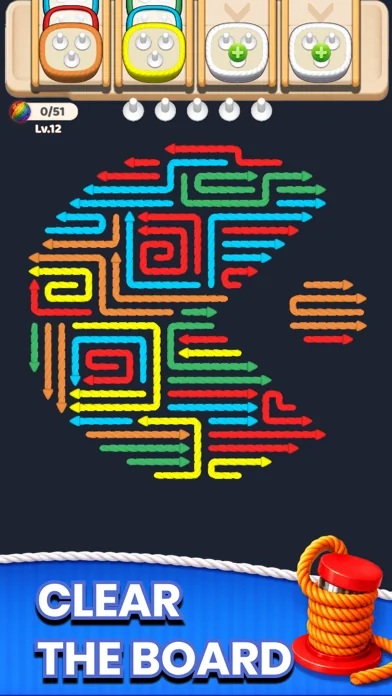
Start by reading the open target boxes
In this Level 12 screenshot, the front boxes are orange and yellow. A yellow arrow near the bottom points right into open space. It can leave the board and go straight to the yellow box.
Save waiting slots for moves that unlock a match
Before tapping a different color, check whether removing that yarn opens a path for a yarn you can use now. With only one slot left, look again for an open match before spending that slot.
Recheck the colors when a box fills
A new target box can take yarn of its color out of the waiting area. Check the new color and free space before your next tap. If you have to retry, plan around the order that the boxes become available.
App Store screenshotsReddit game details
Back to Yarn Jam gameplay